CRM setup in HubSpot, Pipedrive or GoHighLevel
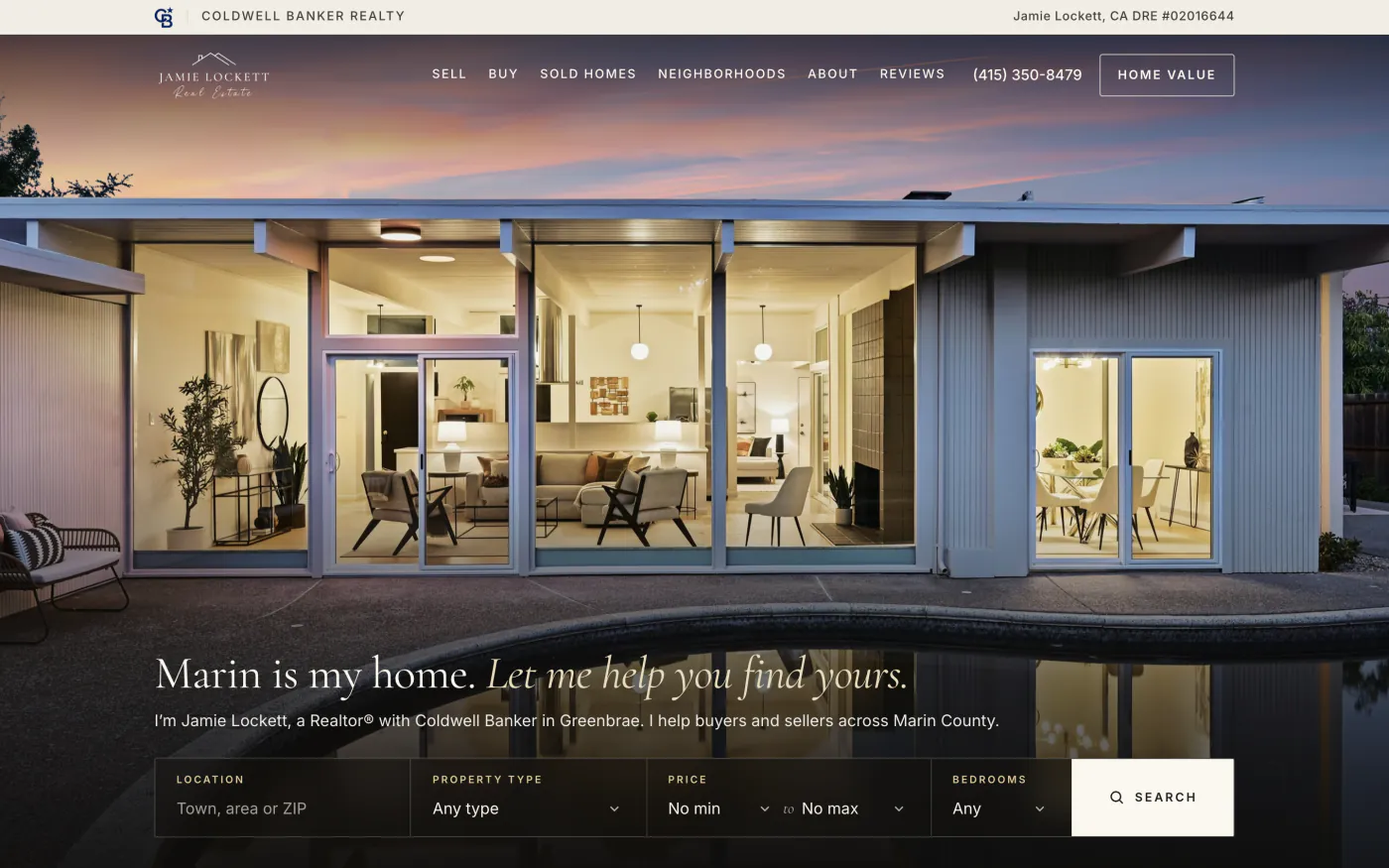
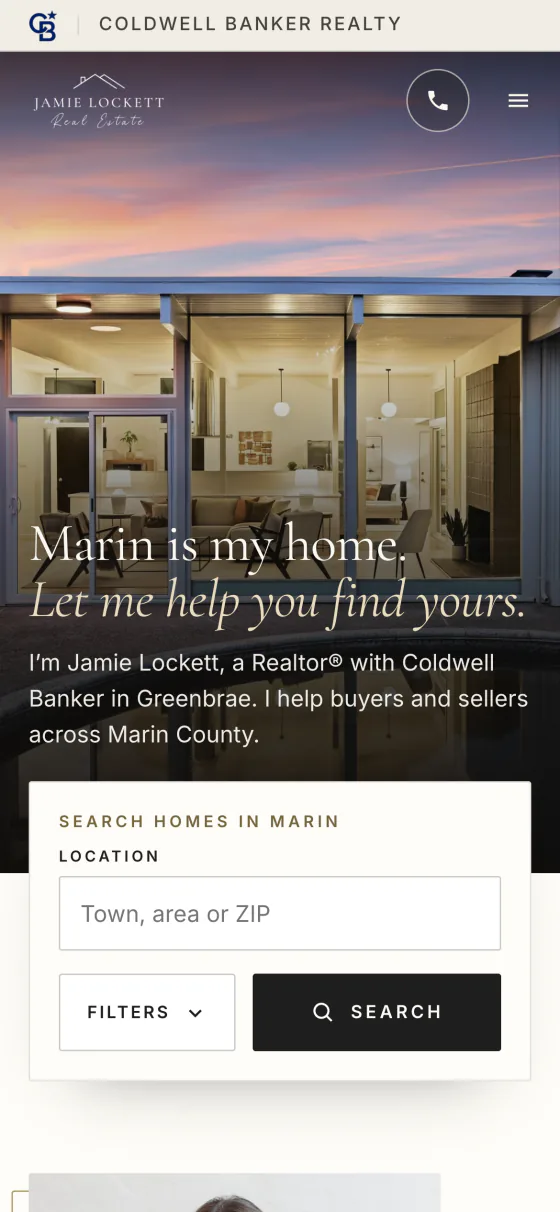
A recent build for Jamie Lockett, a real estate agent. See the project
- Cadence
- One-time
- configured to your sales motion
- Timeline
- 2 weeks
- usable end of week one
- Platforms
- HubSpot, Pipedrive, GoHighLevel
- we pick what fits
If your leads come in through emails, spreadsheets, or "I'll get to it after lunch," you are losing business every day and you do not even know it. A properly configured CRM captures every lead automatically, routes it to the right person, follows up on a schedule, and surfaces the deals worth your time. I configure HubSpot, Pipedrive, or GoHighLevel, whichever fits your sales motion, around how you actually sell.
Tampa, Florida · Remote builds in any US state
The problem
Why leads get lost between the form and the follow-up
Inbox-driven sales has the same problem as Google Analytics with no events: there is no system, just a pile. Leads come in via the website form, get forwarded to whoever opens the email first, occasionally get a reply, and disappear if the original sender does not chase. There is no record of who reached out when, no automated follow-up if a deal stalls, no way to spot patterns about which lead sources actually close.
A CRM is not a feature. It is the operating system for sales. Every lead becomes a record. Every conversation gets logged. Every deal has a stage and a next action. The system follows up when the human forgets. The dashboard shows you, in real time, how much pipeline is moving and where deals are getting stuck. That is the difference between running a sales process and hoping for the best.
My approach
The CRM models your sales process. Never the reverse.
Every CRM build starts with a sales process audit, not a software setup. How do leads actually come in? Who follows up first? What questions get asked on the discovery call? What stage are deals usually in when they stall? Without those answers, configuring the CRM is just deciding what color to paint the room before framing the walls.
Then I build the CRM around your process, not the other way around. Pipeline stages match how you actually move deals. Required fields force the rep to capture the information you actually need. Automation triggers fire on the events that matter to your business. The result is a CRM the team will actually use, because it makes their job easier instead of asking them to change how they sell.
What's included
Every build ships the same stack.
- 01CRM platform setup (HubSpot, Pipedrive, GoHighLevel, your pick)
- 02Pipeline + deal stages mapped to your actual sales process
- 03Contact properties + lead capture fields aligned to your forms
- 04Website forms wired directly into the CRM, no manual entry ever
- 05Automated follow-up sequences for cold + warm + lost leads
- 06Lead routing + notification rules (who gets pinged on what)
- 07Reporting dashboard showing pipeline value + conversion-by-stage
- 08Email + phone integration so the rep sees the full lead history
- 09Team training session + written documentation
One-time setup · CRM platform billed separately by the vendor · All accounts in your name.
Process
Five steps. Two weeks.
Pipeline usable by end of week one. Full automation cadence dialed in by end of week two.
Live training session + recorded for reference + written documentation. Your team runs it from there.
- Sales process audit
Before I touch any CRM tooling I sit with you and walk through your current sales process: how leads come in, who follows up, what stages a deal moves through, where deals tend to stall. The CRM has to model the way you actually sell, not the reverse.
- CRM build
Pipeline stages, deal properties, contact fields, custom properties, owner assignments. Everything configured before a single form gets pointed at it.
- Website + form integration
Every form on your site routes directly into the CRM with the right contact + deal records created. Lead source captured. UTMs preserved. No more "did anyone follow up with that?" lost-lead moments.
- Automation + sequences
Welcome emails, follow-up cadences for cold leads, nurture sequences for warm leads, win-back sequences for closed-lost. Internal Slack/email alerts when high-value leads come in.
- Training + handoff
Two-hour live training with whoever uses the CRM day-to-day. Recorded for reference. Written documentation covering pipeline rules, automation triggers, and how to update everything. You run it from there.
Proof
Day-30 picture.
From "did anyone follow up?" to a live pipeline view.
What a finished setup looks like at day 30: every lead from the past month captured in HubSpot, tagged by source (organic, Google Ads, referral, direct), assigned to the right rep, with the full conversation history attached to the deal record. Automated follow-up sequences caught cold leads at day 3, day 7, day 14. The dashboard shows pipeline value by source, average days-to-close by deal type, and how much revenue is sitting in each pipeline stage.
For a deep read on why response time matters more than ad budget, see the analytics events guide. It covers conversion attribution end-to-end. For the client work we can document and stand behind, including the live bilingual Llanotecnica build, see the case studies page.
A CRM works best as part of a deliberate plan. The pipeline stages and automation triggers come out of digital strategy work, and the dashboard pairs naturally with analytics and reporting so you can see which sources actually drive closed revenue.
See a pipeline sampleQ&A
Common CRM questions, answered straight.
Which CRM do you recommend?
Depends on your business. HubSpot is the right call for content-marketing-driven B2B and businesses that want a unified marketing + sales hub. Pipedrive is the right call for sales-driven service businesses that need a clean pipeline view and quick deal management. GoHighLevel is the right call for local service businesses that need SMS, calling, and review-request automation in one tool. I do not push one. I configure whichever fits your sales motion.
I have a CRM already. Do I need to start over?
Usually no. Most "broken CRM" situations are actually broken configurations on a perfectly good CRM. I audit the current setup, identify what is missing (usually: form integration, lead source capture, automation, reporting), and rebuild only what is wrong. Migration is the last resort.
Do you do CRM strategy or just implementation?
Both. The pipeline stages, the automation triggers, the lead routing logic: those are strategy decisions, not technical decisions. I run the strategy session first, then build to that strategy. Implementing the wrong process correctly is worse than implementing nothing.
What about email + phone integration?
Yes. Every CRM I configure includes inbox sync (Gmail or Outlook) so emails between sales and prospects show up on the deal record automatically. For call-heavy businesses I add VoIP integration (Aircall, JustCall, OpenPhone, or the built-in calling for HubSpot/GoHighLevel) so calls log with recordings + transcripts against the lead.
How long until it is actually working?
Most builds ship in 2 weeks. Week one is build + integration; week two is automation + training. The pipeline is usable from day one of week two; the full automation cadence is dialed in by end of week two. The whole point is that once every form routes into the CRM and follow-up is automated, leads stop slipping through the cracks. That is the improvement most owners are trying to fix, and it is live the day the automation turns on.
How much does the CRM platform itself cost?
Varies. HubSpot has a free tier that fits small businesses (caps at 1M contacts but the marketing tools above the free tier add up, typical small-business stack runs $50-300/month). Pipedrive is roughly $20-50/user/month. GoHighLevel is $97-297/month for the whole agency-style stack. I scope to fit your budget. Sometimes the right call is starting on a free tier and upgrading once volume justifies it.
Will the automation feel spammy to my prospects?
Only if you build spam. The automation I configure is plain-text, one-at-a-time, written like a real human follow-up, not a 10-step "drip sequence" of marketing posters. The point is to make sure no lead waits 4 days for a response, not to bombard them with promotions. Cadences are designed to feel like the rep just happened to have time to follow up.
Accepting Clients
Stop guessing where deals are stuck.
Get a free homepage mockup + sales process audit. I will review how leads currently flow into your business and tell you exactly what would catch the ones falling through cracks.